
Smart thermostats can lower your heating and cooling costs by 15 to 26 percent compared to regular thermostats. These devices learn your schedule, adjust temperatures when you’re away, and give you control from anywhere using your phone. Many models also work with voice assistants and qualify for energy company rebates that help offset the purchase price.

The best energy-efficient smart thermostats include models from ecobee, Google Nest, Amazon, and Honeywell, with prices ranging from about $50 to $230 depending on features like air quality monitoring and room sensors. Each option offers different benefits based on your home’s setup and what smart home devices you already use. Some save energy by detecting when rooms are empty, while others adjust based on outdoor weather conditions.
Picking the right smart thermostat depends on your heating and cooling system, whether you have the required wiring, and which voice assistants or smart home platforms you prefer. This guide breaks down the top options to help you find a thermostat that fits your home and budget while cutting your energy bills.
Key Takeaways
- Smart thermostats can reduce heating and cooling costs by 15 to 26 percent through automatic scheduling and occupancy detection
- Most models require a C-wire for installation and work with popular voice assistants like Alexa, Google Assistant, and Siri
- Energy Star certified thermostats qualify for utility company rebates and offer features like remote control, geofencing, and maintenance alerts
What Makes a Smart Thermostat Energy Efficient?
Smart thermostats achieve energy efficiency through automated features that reduce unnecessary heating and cooling. The key is their ability to learn your patterns, detect when you’re away, and adjust temperatures without requiring constant manual input.
Energy-Saving Features That Matter
The most effective energy-saving features include eco mode, usage reports, and temperature optimization. Eco mode prioritizes energy savings over perfect comfort by making slight adjustments that add up over time. Usage reports show you exactly how much energy you’re using and when, helping you identify opportunities to save more.
Many smart thermostats offer eco+ features that combine multiple energy-saving capabilities into one system. These features work together to minimize waste by preventing your HVAC system from running when it’s not needed. Auto-away modes detect extended absences and automatically shift to energy-saving temperatures.
Key energy-saving features to look for:
- Remote temperature control via smartphone apps
- Energy usage tracking and reports
- Automatic temperature adjustments based on weather
- Integration with utility company programs for rebates
Learning Algorithms and Scheduling
Learning thermostats use algorithms to study your daily routines and temperature preferences. Over the first few weeks, these devices track when you adjust the temperature and what settings you prefer at different times. The thermostat then creates an automatic schedule that matches your lifestyle without you programming anything manually.
Smart scheduling goes beyond basic timers. Your thermostat analyzes how long it takes to heat or cool your home and starts the HVAC system at the right time to reach your desired temperature exactly when you need it. This prevents energy waste from starting too early or leaving you uncomfortable by starting too late.
The learning capabilities improve over time as the thermostat gathers more data about your habits. If you consistently change the temperature on weekday mornings, the device learns this pattern and adjusts automatically.
Geofencing and Occupancy Detection
Geofencing uses your smartphone’s location to determine when you’re home or away. When you leave a set boundary around your house, the thermostat automatically switches to an energy-saving temperature. As you return, it adjusts back to your comfort settings before you arrive.
Home/away assist features combine geofencing with occupancy sensors for better accuracy. Built-in sensors detect movement and can tell if someone is actually in the house, even if a phone was left behind. This prevents the system from wasting energy heating or cooling an empty home.
The combination of geofencing and sensors provides significant energy savings. Your HVAC system only runs at full capacity when people are actually present and need comfort.
Key Features to Look for in an Energy-Efficient Smart Thermostat
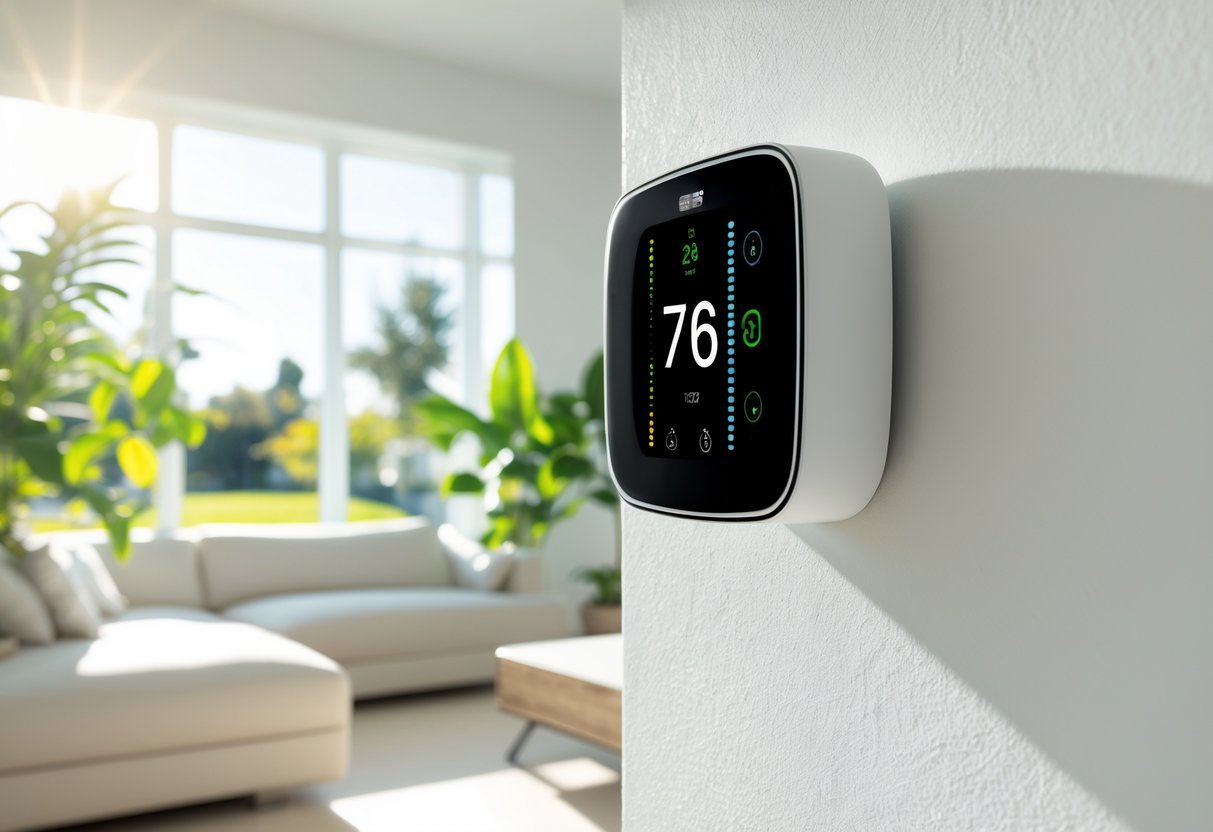
When shopping for a smart thermostat, learning algorithms and AI can help reduce your energy bills. These features study your habits and create schedules that match your routine. The thermostat adjusts temperatures automatically based on when you’re home or away.
Energy usage reports show you how much energy your heating and cooling system uses. These insights help you understand your consumption patterns. You can use this information to make changes that lower your bills.
Geofencing uses your phone’s location to adjust your home’s temperature. When you leave a set area around your home, the thermostat changes the temperature to save energy. It switches back to your preferred setting when you return.
Check if the thermostat works with your HVAC system before you buy. Different systems need different features. Some thermostats support multi-stage heating and cooling, while others only work with basic setups.
Smart home integration matters if you use voice assistants or other connected devices. Look for compatibility with:
- Amazon Alexa
- Google Assistant
- Apple HomeKit
- Samsung SmartThings
- Matter
Installation requirements vary by model. Most thermostats need a C-wire to work properly. Some brands offer workaround kits if your system doesn’t have one.
Remote room sensors help maintain even temperatures throughout your home. They tell the thermostat which rooms are occupied. This feature prevents heating or cooling empty spaces.
A good mobile app makes controlling your thermostat easier. You should be able to adjust settings, create schedules, and view energy reports from your phone.
Top-Rated Smart Thermostats for Energy Efficiency
The most effective smart thermostats combine advanced learning algorithms, remote sensors, and automated scheduling to reduce energy consumption by 10-26%. Premium models from ecobee and Google Nest lead in features and savings, while budget options like the Amazon Smart Thermostat deliver solid performance at lower price points.
ecobee Smart Thermostat Lineup: Premium, Enhanced, Essential
The ecobee Smart Thermostat Premium sits at the top of the lineup with built-in air quality monitoring, radar occupancy detection, and a voice assistant. You get a SmartSensor included that tracks temperature and motion in remote rooms, helping balance comfort across your home. This model can save up to 26% on energy bills through its eco+ feature, which adjusts for humidity, occupancy, and off-peak energy times.
The ecobee Smart Thermostat Enhanced drops the air quality monitor and radar sensor but keeps the core energy-saving features. You still get one SmartSensor and full compatibility with Alexa, Google Home, and Apple HomeKit. It costs $30-50 less than the Premium while delivering comparable energy savings.
The ecobee Smart Thermostat Essential offers basic scheduling and geofencing without extra sensors or voice control. You can add SmartSensors separately if needed. This entry-level option works well for single rooms or smaller homes where multi-room sensing isn’t necessary.
All three models support detailed energy reports through the ecobee app and work with multi-stage HVAC systems.
Google Nest Learning Thermostat and Nest Thermostat
The Google Nest Learning Thermostat uses AI to study your temperature preferences and schedule, creating automatic adjustments within a week. You’ll see 10-12% savings on heating and 15% on cooling through features like Adaptive Eco mode. Google’s newest 4th generation model supports Matter protocol, connecting seamlessly with Alexa, Google Home, and Apple HomeKit.
The device includes a Nest Temperature Sensor for monitoring specific rooms. Its high-resolution touchscreen shows weather, time, and temperature in a sleek design that fits modern homes.
The standard Nest Thermostat costs about $100 less and requires manual scheduling instead of automatic learning. You lose the premium display and some advanced features, but you keep the core energy-saving tools like Home/Away Assist and energy history tracking. Both models need a C-wire or adapter for installation, which may require professional help depending on your system.
Amazon Smart Thermostat and Alternatives
The Amazon Smart Thermostat delivers Energy Star-certified performance at $59-80, making it the most affordable option for basic energy savings. Built with Honeywell technology, it uses Alexa Hunches to adjust temperatures based on your location and habits. The device includes a C-wire adapter for easy DIY installation.
You control it through the Alexa app, which shows energy usage dashboards and lets you set schedules. It works with Google Home through Matter support. The main limitation is compatibility only with single-stage HVAC systems.
The Sensi Smart Thermostat (ST55 model) and Emerson Sensi Touch offer middle-ground alternatives with larger touchscreens and support for multi-stage systems. The Honeywell Home T9 handles up to 20 remote sensors for large homes, though sensors cost extra. Budget options like the Meross Smart Thermostat and Vine Smart Thermostat provide basic app control and scheduling at lower prices, but they lack advanced learning features and broad smart home integration.
Compatibility and Installation Considerations
Before you buy a smart thermostat, you need to check if it works with your heating and cooling system. Most models require specific wiring and power sources that not all homes have, and some installations are more complex than others.
Checking HVAC System Compatibility
Smart thermostats are designed mainly for 24V HVAC systems, which include most central heating and air conditioning setups like forced air systems. Your system type determines which thermostat will work in your home.
If you have a heat pump, multi-stage system, or dual fuel setup, you need to verify that your chosen thermostat lists these features in its specifications. Electric baseboard heaters use line voltage (120V or 240V) and won’t work with most smart thermostats.
You can identify your system type by looking at your current thermostat’s wiring. Low voltage systems have thin, multicolored wires connecting to labeled terminals. Most thermostat manufacturers offer online compatibility checkers on their websites where you enter your system details.
| System Type | Typical Compatibility |
|---|---|
| Central heating/AC | Yes |
| Heat pumps | Yes (verify model) |
| Multi-stage | Check specifications |
| Electric baseboard | Rarely compatible |
C-Wire and Power Requirements
Most smart thermostats need a C-wire (common wire) to receive continuous power for Wi-Fi and display functions. Your existing thermostat might not use a C-wire even if the wire exists in your wall.
Check your current thermostat’s wiring before purchasing. Look for a wire connected to a terminal labeled “C” or “Common.” If you don’t have a C-wire, some thermostats include a power extender kit that lets you use existing wires differently.
Without proper power, your thermostat may lose connection, drain batteries quickly, or fail to operate. Some models can work without a C-wire by drawing small amounts of power through other wires, but this doesn’t work with all HVAC systems. Adding a C-wire requires running a new wire from your thermostat to your furnace or air handler.
DIY vs. Professional Installation
DIY installation works well if your system already has the right wiring and you’re comfortable working with electrical connections. Most manufacturers provide step-by-step instructions and video guides. You’ll need to turn off power at your breaker before starting.
Professional installation costs between $100 and $200 but ensures correct setup and avoids potential damage to your HVAC system. An HVAC technician can add a C-wire if needed, verify voltage requirements, and configure advanced features like multi-zone control.
You should hire a professional if your system lacks a C-wire, uses line voltage, includes complex wiring, or if you’re unsure about any installation requirements. Improper installation can damage your equipment or create safety hazards.
Smart Home Integration and Control Options
Smart thermostats work with major voice assistants like Alexa, Google Assistant, and Siri to give you hands-free control. Most models include mobile apps for remote access, while advanced options connect with broader smart home systems like Samsung SmartThings and IFTTT for complete home automation.
Voice Assistant Compatibility
Most Wi-Fi smart thermostats now work with Amazon Alexa, Google Assistant, and Siri through Apple HomeKit. You can adjust your home temperature using simple voice commands through devices like Echo speakers or Google Home hubs. Models like the ecobee and Sensi thermostats support all three major voice platforms.
The Amazon Smart Thermostat pairs directly with Alexa and Ring devices for streamlined voice control. Google Nest thermostats naturally integrate with Google Assistant for voice commands. If you use Apple HomeKit, you’ll need to verify compatibility since fewer thermostats support Siri compared to Alexa or Google Assistant.
Voice control lets you change temperature settings without touching your phone or walking to the thermostat. You can create voice routines that adjust temperatures when you say phrases like “good night” or “leaving home.”
App and Remote Access Features
Remote access via mobile app gives you full control of your thermostat from anywhere with an internet connection. You can adjust temperatures, create schedules, and monitor energy usage while at work or on vacation. The ecobee app and Sensi mobile app both offer user-friendly interfaces with detailed energy reports.
Most Wi-Fi thermostat apps let you set weekly schedules for different times and days. You can create custom temperature settings for morning, afternoon, evening, and night. Some apps send alerts about filter changes, extreme temperatures, or system maintenance needs.
App control also provides real-time data on your energy consumption and indoor climate conditions. The Honeywell Home app shows both indoor and outdoor weather, helping you make informed decisions about your heating and cooling.
Smart Home Ecosystem Integration
Smart home integration connects your thermostat with other devices like lights, locks, and security systems. Samsung SmartThings and other smart home systems let you create automation rules where your thermostat responds to triggers from other devices. Your heating might turn down automatically when your smart lock detects you’ve left home.
Advanced thermostats support IFTTT (If This Then That) for custom automation across different platforms. You can build rules like “turn off heating when my security camera detects I’m away” or “adjust temperature based on weather forecasts.” The Google Nest Learning Thermostat and ecobee models offer extensive smart home ecosystem compatibility.
Home automation works best when your thermostat connects with multiple smart home systems rather than just one platform. This flexibility lets you expand your setup over time without replacing your thermostat.